The almost forgotten backlog story
I have a personal backlog of things I want to do. On Aug 9, 2020, I wrote down this:
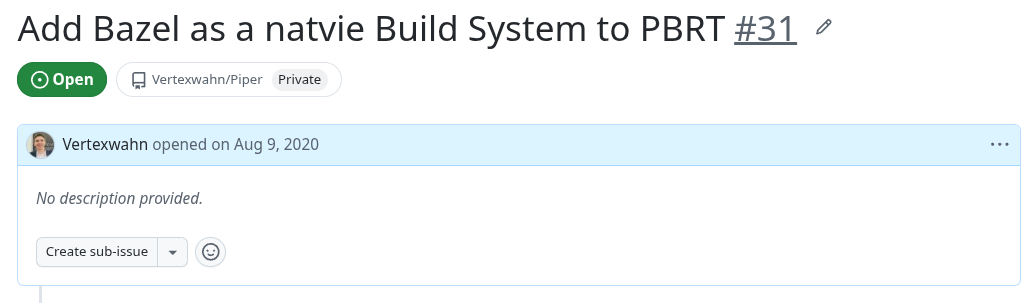
This issue is now more than six years old. Other, more important things popped up in my life in the idea went further and further down in my backlog. I even forgot it was there. With the advent of vibe coding, the idea popped up again. Actually, I created a new backlog story, and when I used the search to find it, I discovered that I already had the idea six years ago. Previously, it was clear that it could be done, but it would require some time and effort. I was not willing to spend it, since the payoff was too low. Now, at the end of the month, I have some AI tokens I can waste. This changes the whole game ;).
Motivation
pbrt-v4 uses CMake as a build system.
I suggest switching to, or at least adding support for, the Bazel build system for the following reasons:
- Build and run in one step
- No clean build issues
- Faster to rerun tests
- Easier dependency management
Here is my current attempt: https://github.com/Vertexwahn/pbrt-v4-bazel
You can try it by running:
git clone https://github.com/Vertexwahn/pbrt-v4-bazel.git
cd pbrt-v4-bazel
bazel run //:pbrt -- --help
After this, you can try to render a scene, e.g.:
gh repo clone mmp/pbrt-v4-scenes
bazel run -c opt //:pbrt -- /home/vertexwahn/dev/pbrt-v4-scenes/bmw-m6/bmw-m6.pbrt # works on my machine tm
or when you have tev installed:
tev
bazel run -c opt //:pbrt -- --display-server localhost:14158 /home/vertexwahn/dev/pbrt-v4-scenes/bmw-m6/bmw-m6.pbrt
bazel run -c opt //:pbrt -- --display-server localhost:14158 "C:\dev\pbrt-v4-scenes\bmw-m6\bmw-m6.pbrt"
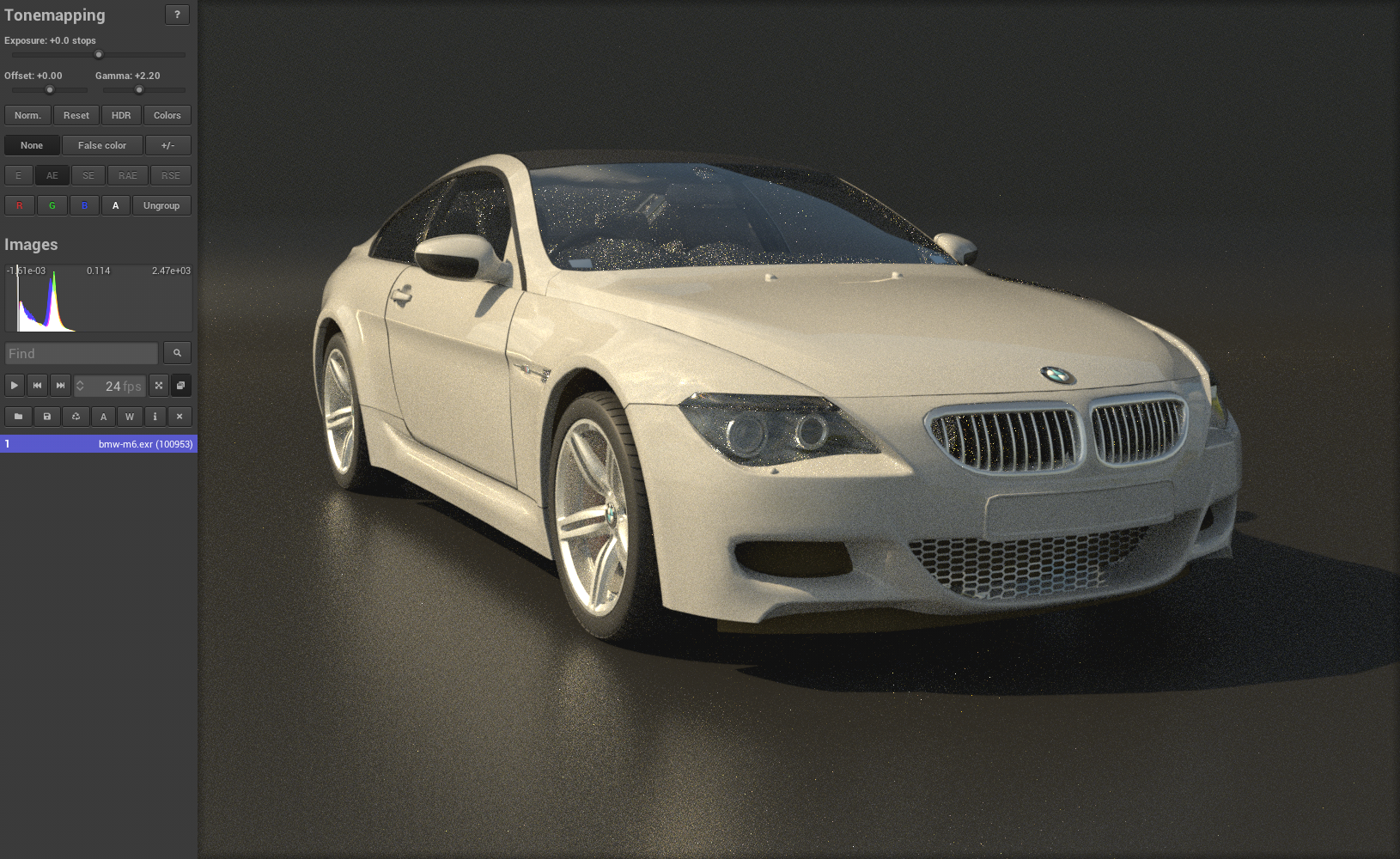
With GPU support:
tev
bazel run -c opt --//src:gpu=true //:pbrt -- --gpu --display-server localhost:14158 "C:\dev\pbrt-v4-scenes\bmw-m6\bmw-m6.pbrt"
GPU support
PBRT v4 uses OptiX. To build it with GPU support, you need to have the OptiX SDK installed. In order to download it from NVIDIA, you need to register first. I think creating an account, downloading it, and installing it is not a big deal, but it requires some manual effort and some steps that need to be repeated on every new machine you want to set up to compile the code. LuisaCompute has a nice solution to this. They provide their own header with all the required OptiX functions, and at runtime, they fetch the function pointer addresses from the Dynamic Link Library (on Windows) or Shared Object (on Linux).
Therefore, I had the idea for VibeOptiX, a replacement for the OptiX SDK, pure vibe coded (hence the name). When you run the above command with GPU support, you get VibeOptiX as a replacement for the OptiX SDK, which uses the same trick as LuisaCompute to avoid registering with NVIDIA. This also seems to work for the CMake build, by the way.
Is it really better?
Yes. ;)
Here you can see the execution of all tests of pbrt in the CI:
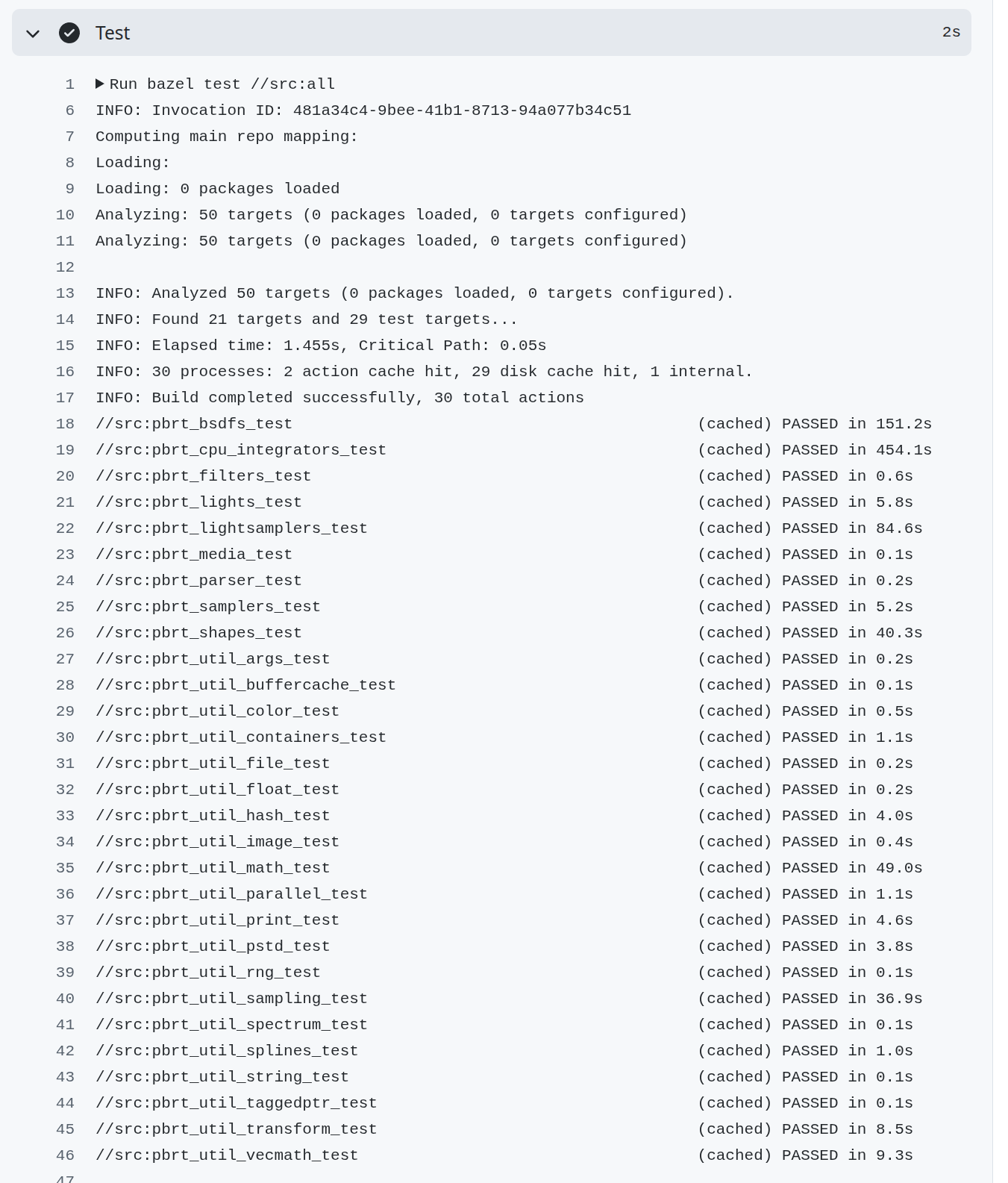
Bazel tracks all dependencies of its build targets.
If nothing changes, a test does not need to be rerun.
In the above screenshot, the tests were not re-executed since nothing has changed that influences them, and cached results could be reused, resulting in a test run of two seconds on the CI.
If something was changed that influences a test, the test is re-executed.
Of course, this can only work well if not all your tests depend on a single pbrt-lib.
This is currently the case, but Bazel opens up the chance to introduce more fine-grained build targets (e.g., pbrt-filters-lib) and shorten the critical build/test path.
Fetching third-party dependencies is as easy as:
bazel_dep(name = "double-conversion", version = "3.3.1.bcr.1")
bazel_dep(name = "glfw", version = "3.4.0.bcr.3")
bazel_dep(name = "googletest", version = "1.18.0.bcr.1")
bazel_dep(name = "libdeflate", version = "1.26")
bazel_dep(name = "lodepng", version = "0.0.0-20250506-17d08dd")
bazel_dep(name = "openexr", version = "3.5.1")
bazel_dep(name = "openvdb", version = "11.0.0.bcr.1")
bazel_dep(name = "ptex", version = "2.5.4")
bazel_dep(name = "qoi", version = "0.0.0-20260927-ffb2d2c")
bazel_dep(name = "flip", version = "1.6")
bazel_dep(name = "rply", version = "1.1.4")
bazel_dep(name = "stb", version = "0.0.0-20251026-f1c79c0")
bazel_dep(name = "utf8proc", version = "2.12.0")
bazel_dep(name = "zlib", version = "1.3.2")
This works reliably on Windows, Linux, and macOS.
Besides remote caching, there is also the opportunity for remote execution. Remote execution would allow us to distribute the build and tests across many machines.
It is also possible to deliver the compiler via Bazel. In the current setting, Bazel tries to identify a default C++ compiler on the host machine, but there are also ways to fetch a hermetic C++ toolchain. That would mean the machine you are running on would not need an installed C++ compiler. In a single command, a C++ compiler can be fetched and used to build pbrt.
CLion (which can be used for free for non-commercial use) has a very nice Bazel addon. This way, you have the same build/debug/test experience on Windows, Linux, and macOS.
Outlook
If you have any issues building pbrt on any platform with a single command - let me know. Maybe I have some tokens to spend. It’s much easier with Bazel than CMake - I can promise. I also know that the current state is not something that would be merged into the original upstream pbrt-v4 project, since I mixed two different things here: the introduction of Bazel and moving away from the OptiX SDK. It is also possible to make Bazel use an installed OptiX SDK. Anyways, I had some vibe coding fun. My tokens are all used up now - so let’s close this post.